AI Intelligent Procurement Hub
Streamlined enterprise procurement platform with AI-guided workflows and vendor insights
Project Overview
I designed a modern internal procurement portal that makes it easy for employees to find, request, and purchase products and services for their teams. The platform features a clean catalog experience with categorized product cards, smart filters, quick search, and an AI-powered assistant that helps users quickly locate what they need. From office supplies and computer hardware to catering and repair services, the goal was to simplify the purchasing process, reduce reliance on emails and manual forms, and create a more intuitive self-service experience for employees across the organization.
My Role in the Project
As the lead UX Designer, I was responsible for the overall user experience of the Product & Services section. I conducted user research with employees and procurement teams, designed the main dashboard, category browsing, product listing pages, filters, and the AI chat assistant. I created interactive prototypes and worked closely with product managers and developers to ensure the interface felt simple yet powerful for both occasional users and frequent buyers.
Challenges Encountered
Employees often struggled to find the right products quickly among thousands of items.
The previous system felt outdated and required too many steps to request something.
Balancing a visually appealing catalog with powerful filtering and search capabilities without overwhelming the screen.
Making the AI assistant feel helpful and natural rather than robotic or inaccurate.
Supporting different user types — from someone buying a laptop to someone ordering catering for an event.
User Research Approach & Insights
I interviewed employees from different departments as well as procurement staff to understand their frustrations with the a a purchasing process. Many mentioned spending too much time searching for items or filling out complicated forms. A clear insight was that people wanted a shopping-like experience similar to Amazon, but with company-specific policies and approvals built in. They also appreciated the idea of an AI assistant that could understand natural language requests like “I need a laptop” instead of navigating through complex menus.
Methods
- User Interviews with Employees
- Stakeholder Workshops with Procurement Team
- Persona Development
- Card Sorting for Categories
- Usability Testing on Prototypes
Key Findings
- Users wanted a single, centralized place to find everything they needed.
- Search was the most critical feature, but it had to be smart and forgiving.
- Approval workflows needed to be transparent and easy to track.
- Mobile access was important for tracking requests on the go.
- A visual, card-based layout was preferred over dense tables.
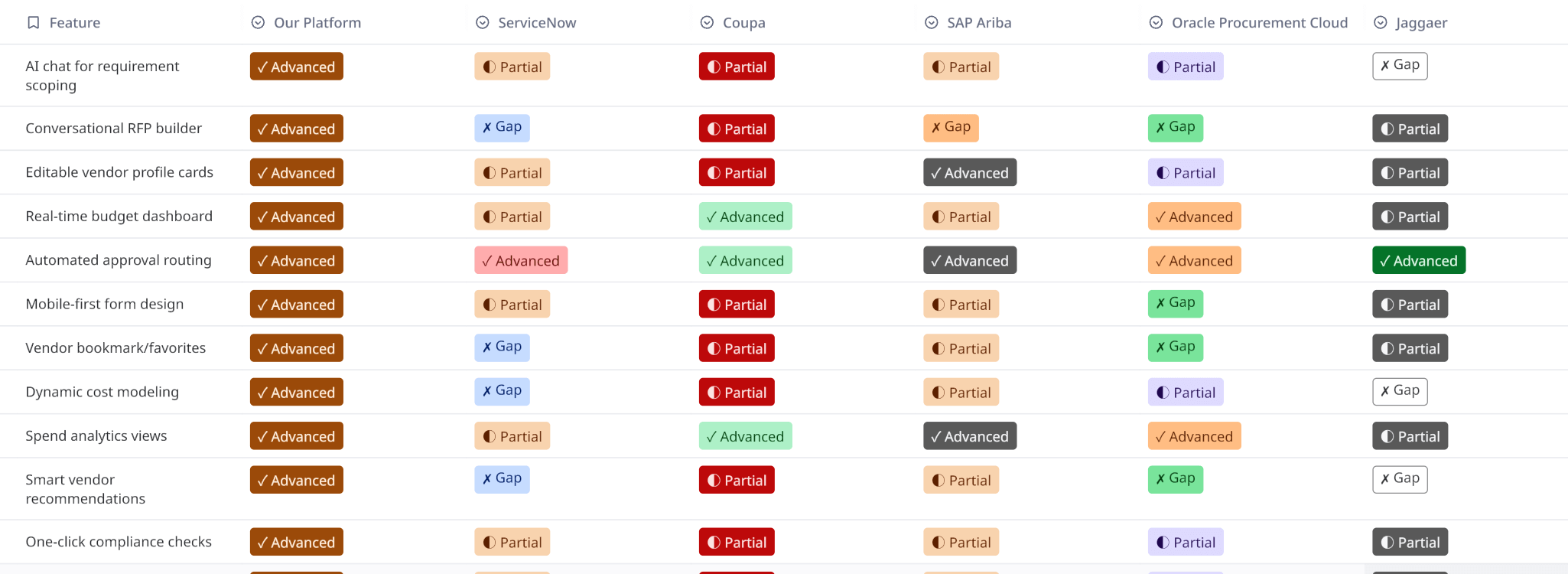
Competitive Analysis
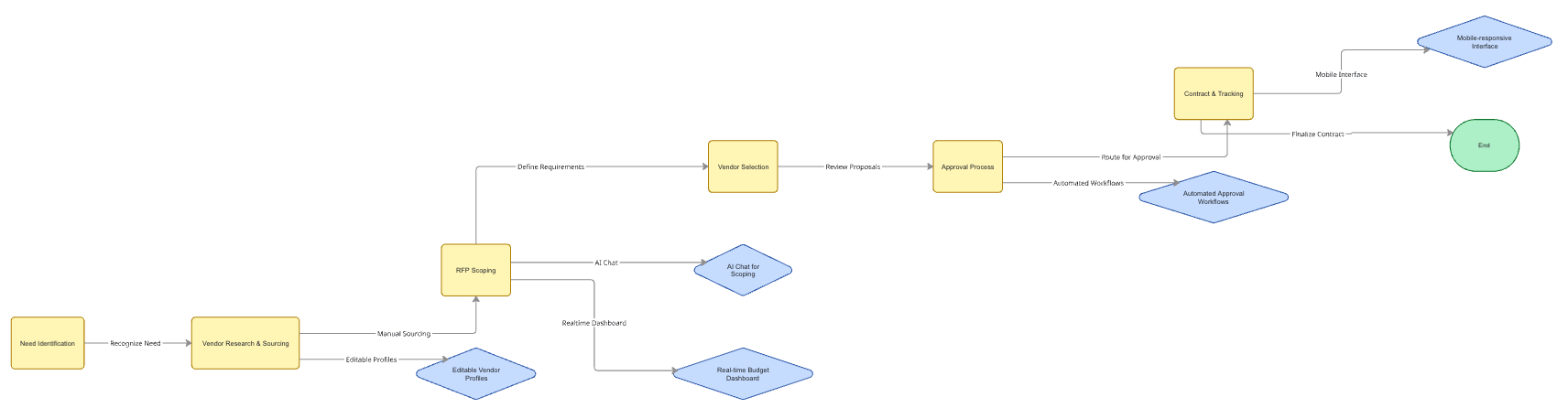
Process Flow & User Journey
Ideation Process
For the ideation phase, I focused on creating a clean, modern, and intuitive interface that felt more like a consumer app than a traditional enterprise tool. I ran several design sprints, starting with low-fidelity wireframes to map out the core user flows — searching for a product, adding it to a cart, and submitting a request. We tested these wireframes with users early on to get feedback on the overall structure and navigation. From there, I moved on to high-fidelity mockups and interactive prototypes, which allowed us to simulate the AI assistant and test the end-to-end purchasing experience before writing any code.
Discovery
Analyzed current procurement workflows and interviewed stakeholders to identify bottlenecks.
Ideation
Brainstormed AI-driven solutions and sketched initial concepts for buyer and vendor dashboards.
Wireframing
Created low-fidelity layouts for key screens, focusing on the RFP creation and approval flows.
Prototyping
Built interactive prototypes to simulate the chat-based scoping and vendor management features.
Testing
Conducted usability sessions with procurement managers to validate the new workflow efficiency.
Iteration
Refined the interface based on feedback, optimizing the mobile experience and approval chains.
Sketch
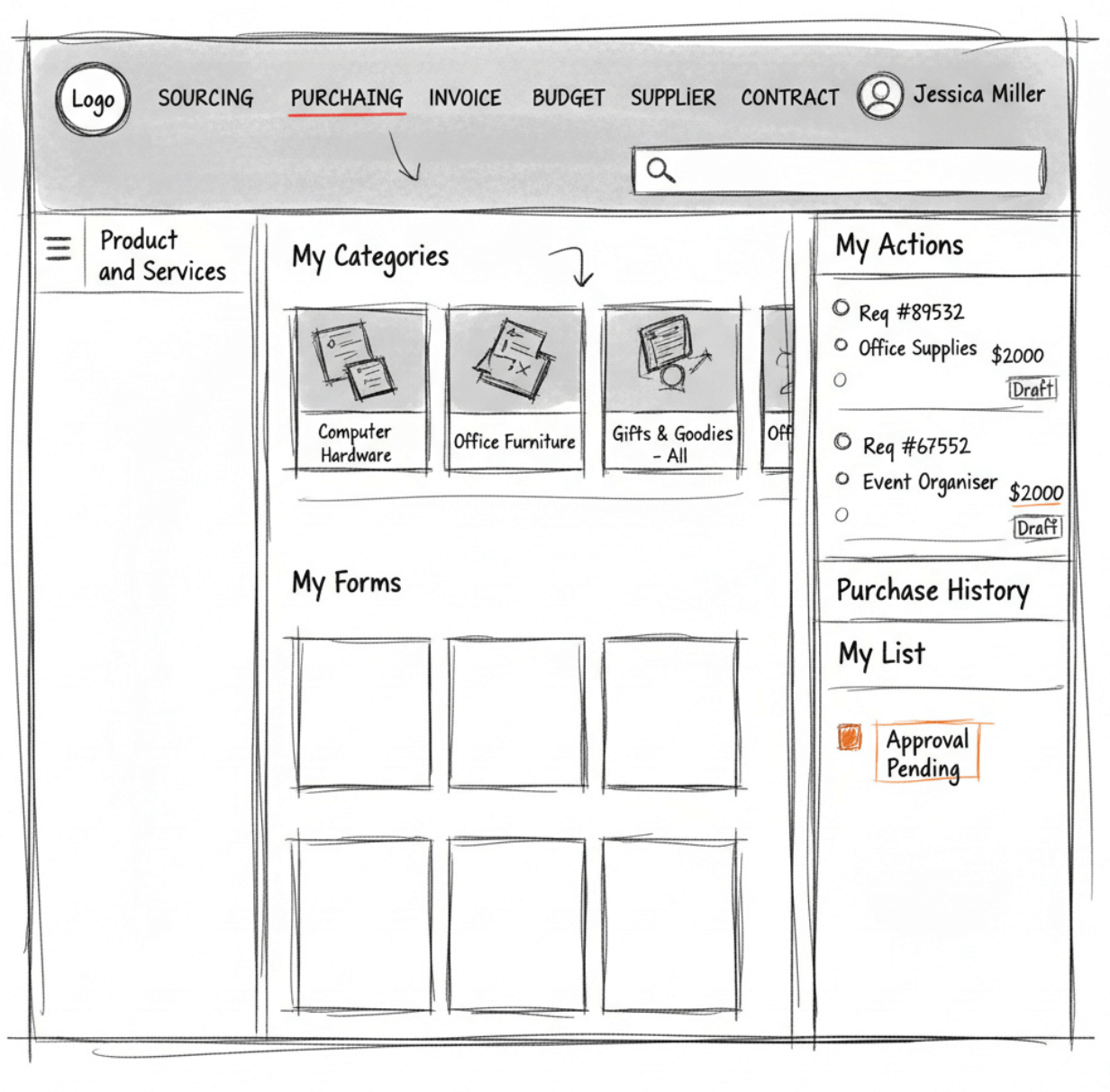
I began with hand sketches on paper to quickly explore layout ideas for the main dashboard, candidate cards, comparison screens, and the AI assistant panel. These early sketches helped me test different arrangements for quick actions, overview metrics, and workflow stages.
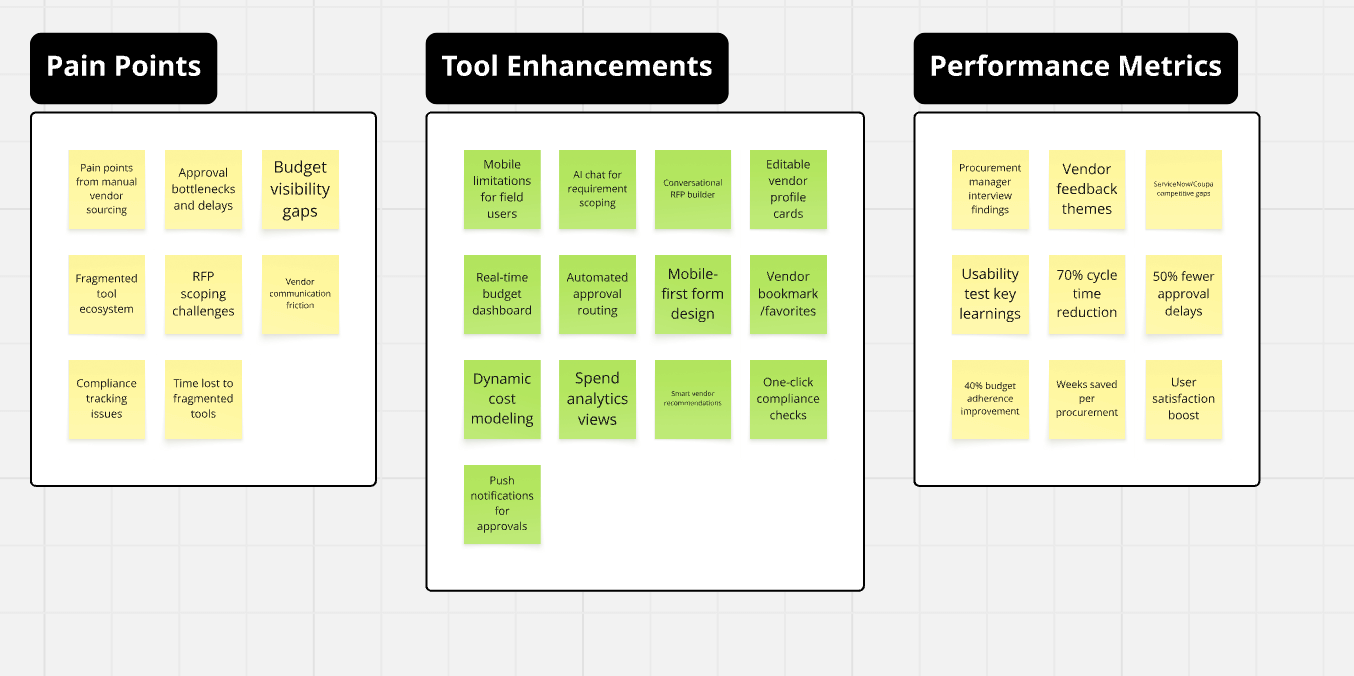
Wireframe
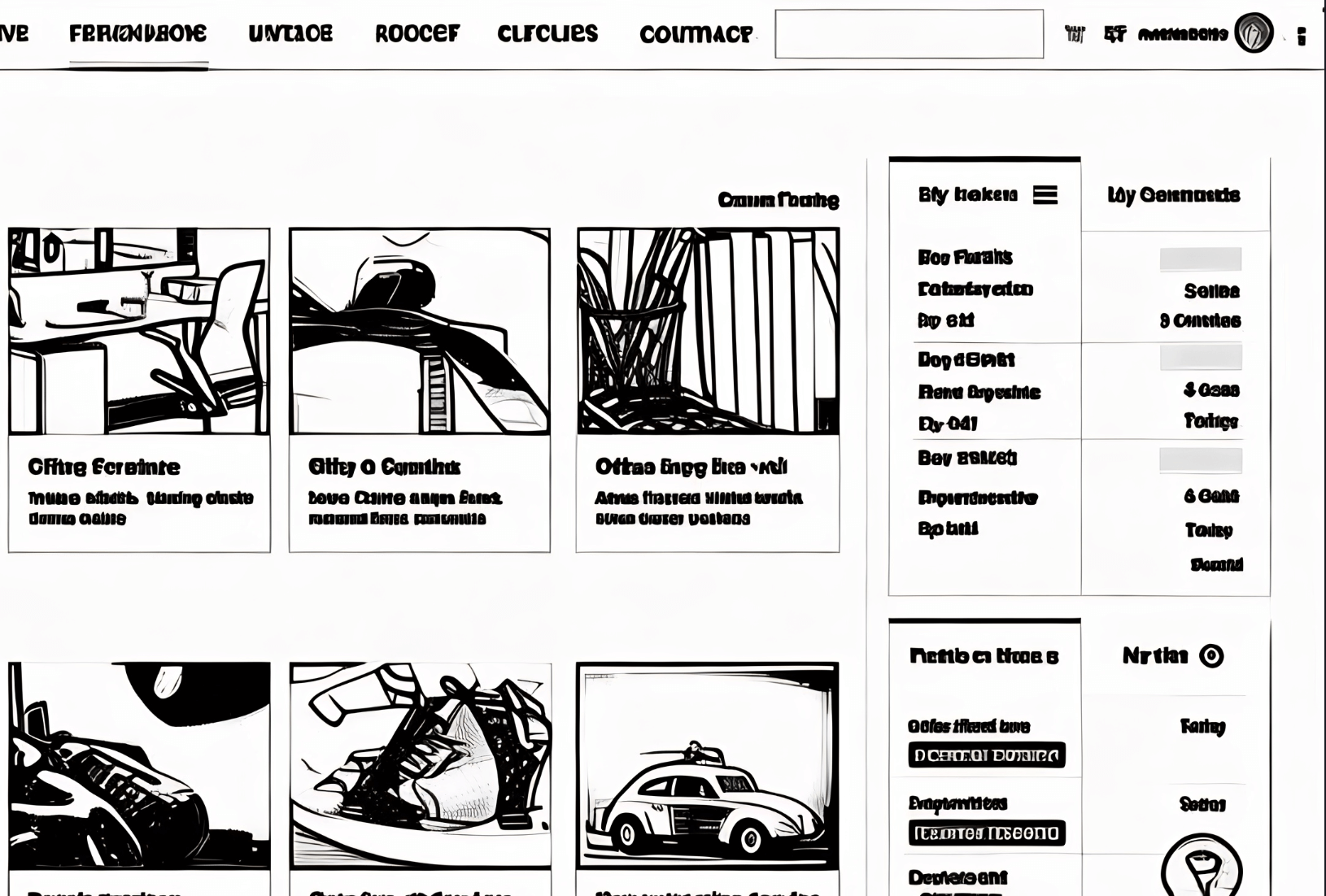
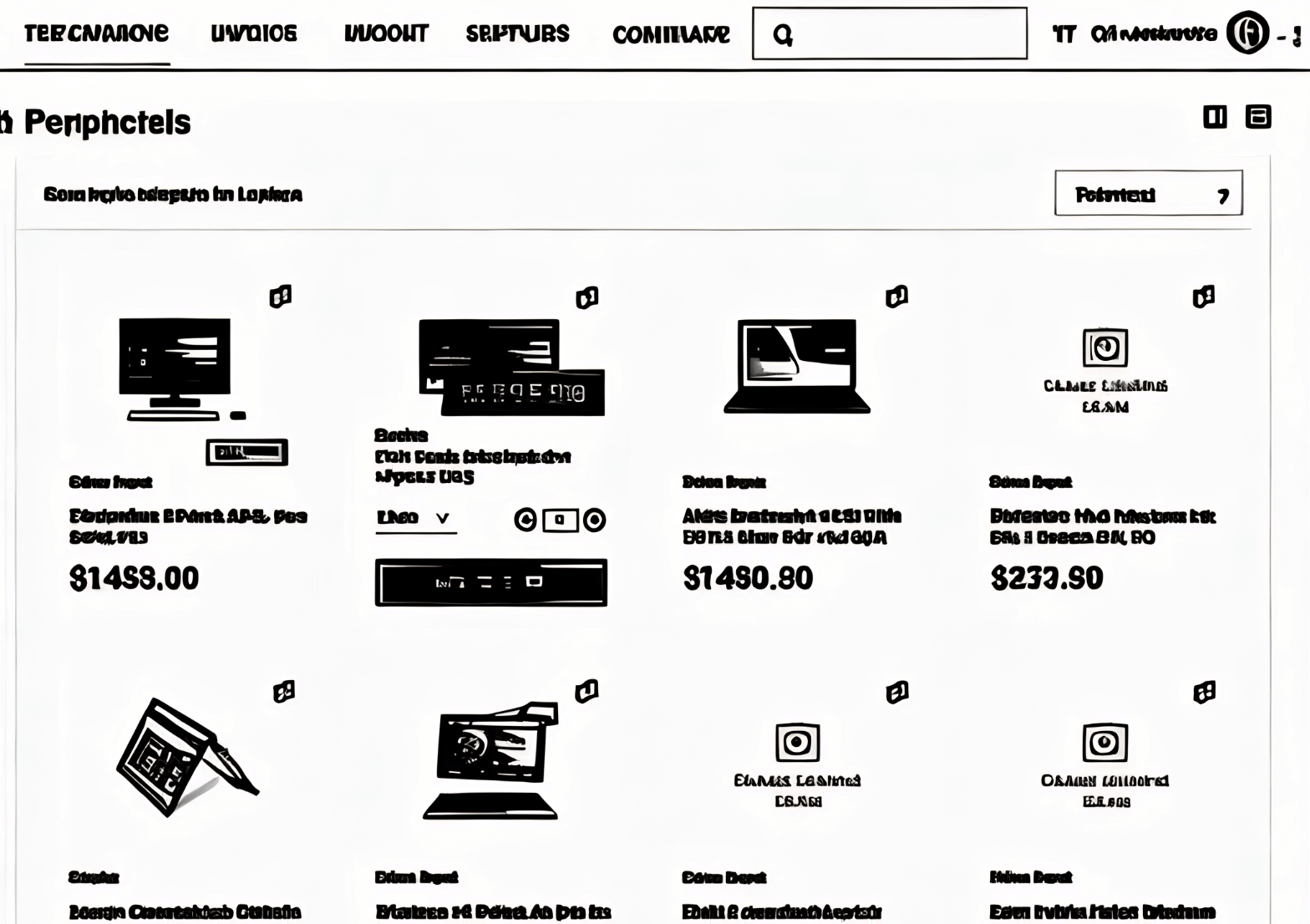
After sketches, I created low-fidelity wireframes in Figma to define the information hierarchy, user flows, and interaction patterns. This stage helped refine the Kanban-style status columns, the candidate comparison modal, the onboarding checklist, and the chat-based AI assistant before moving to visual design.
The Solution Implemented
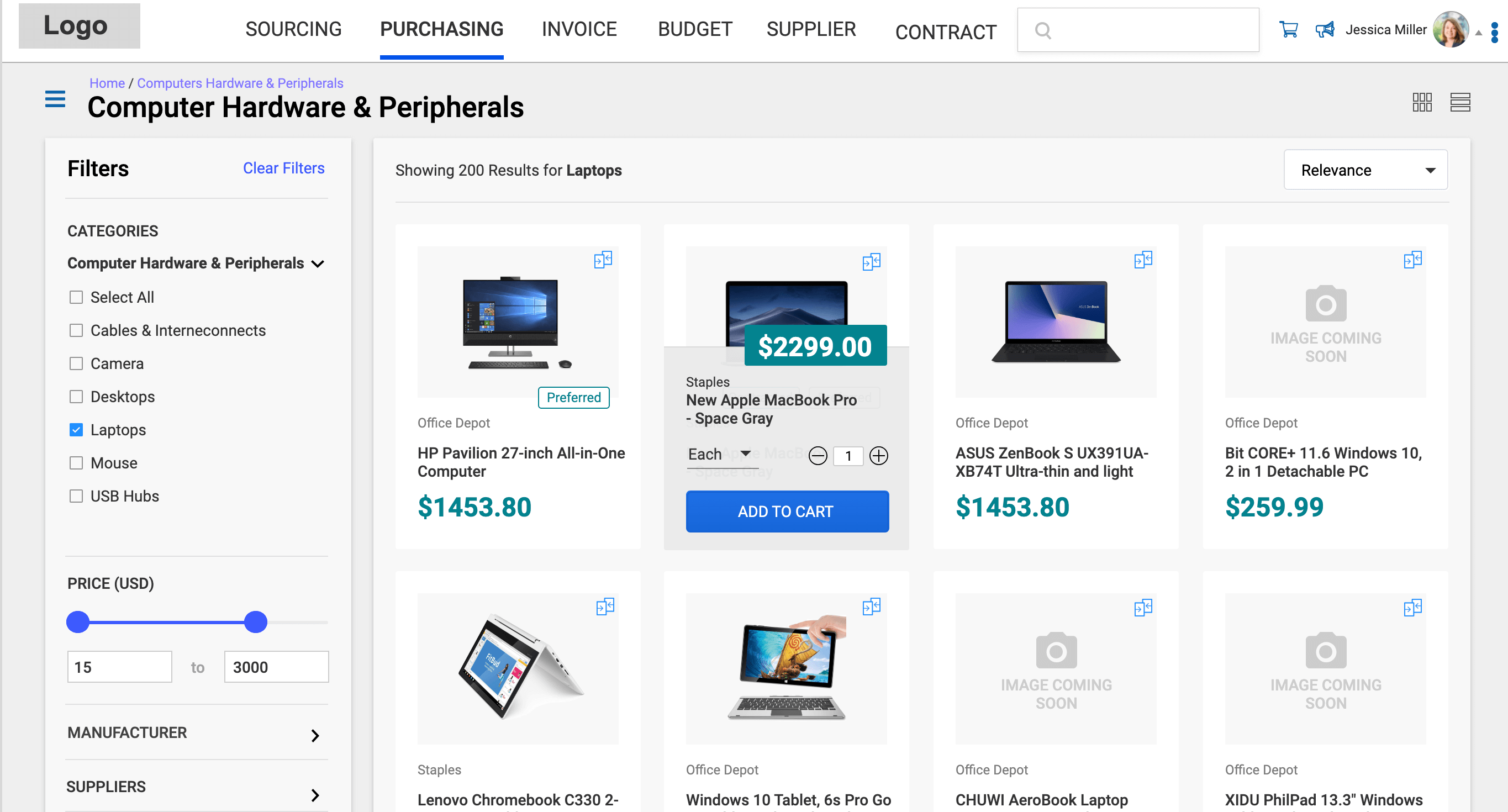
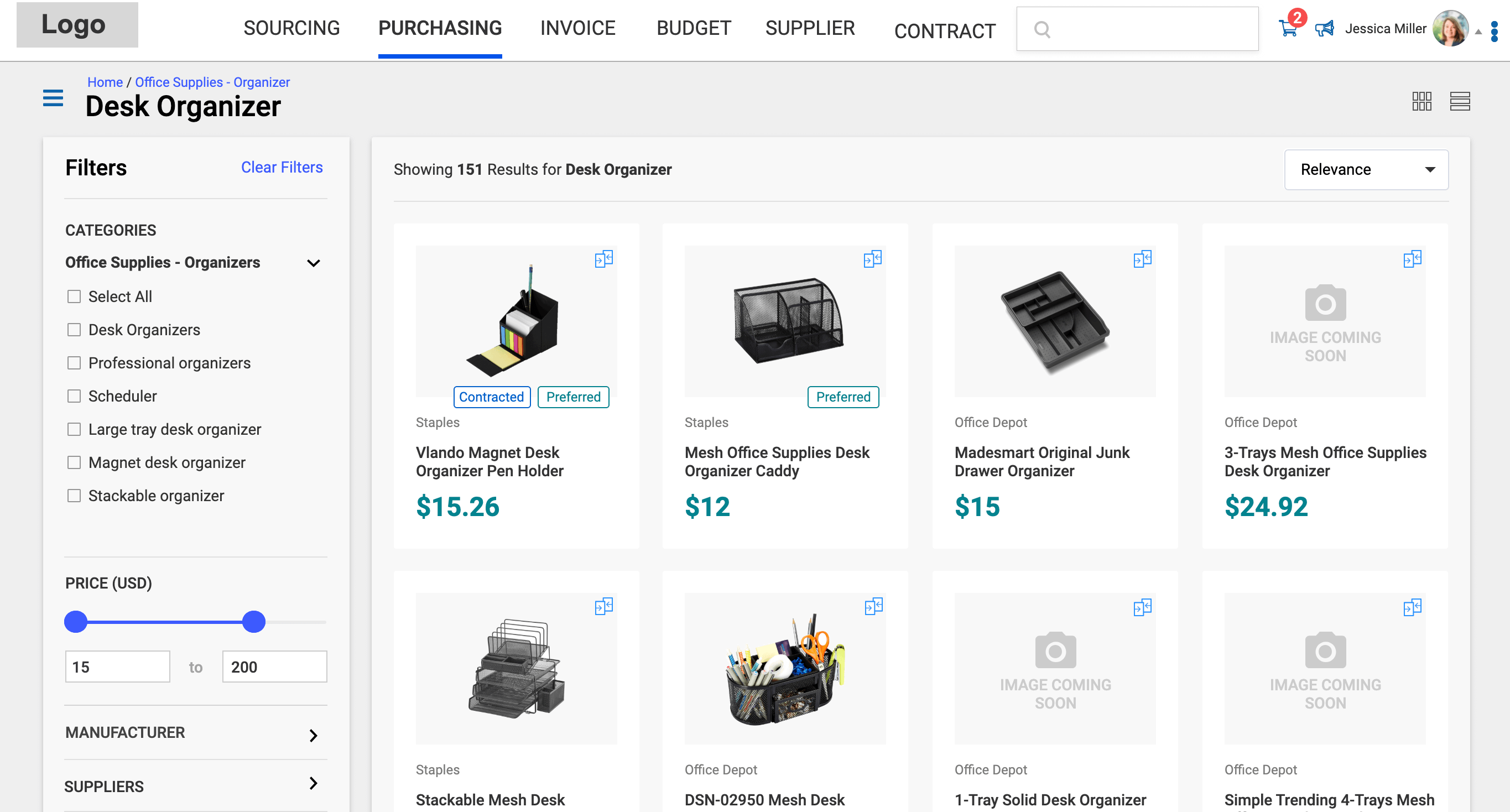
- A consumer-grade catalog interface with rich product cards, customer reviews, and clear specifications.
- Faceted search with smart filters for category, price, brand, and availability to help users narrow down options quickly.
- An AI-powered chatbot that understands natural language queries for product discovery (e.g., "I need a new MacBook Pro").
- A streamlined, multi-step request form with a clear summary of the items, costs, and approval workflow.
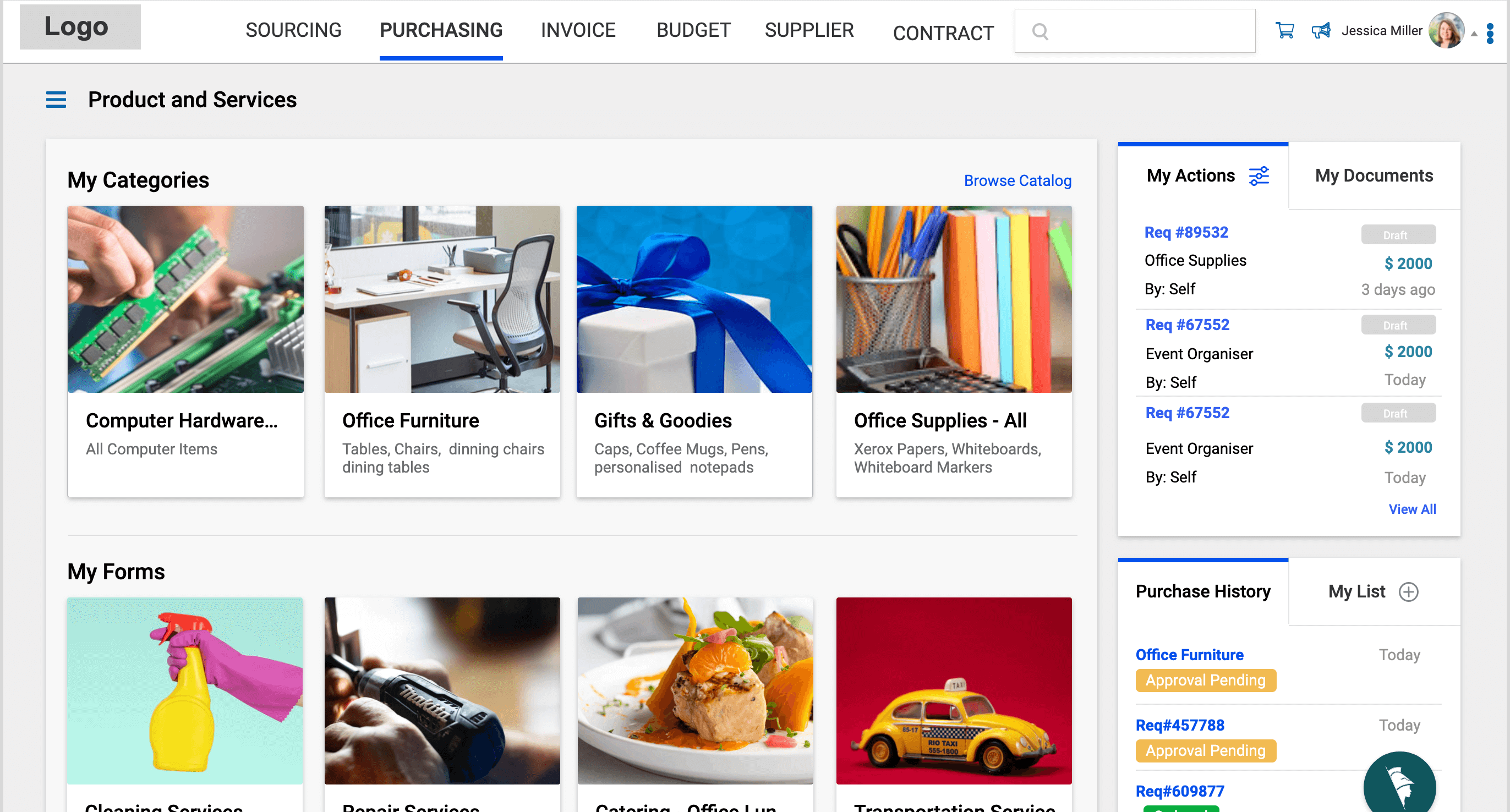
- A personalized dashboard where employees can track the status of their requests and view their order history.
- An integrated vendor management system for the procurement team to handle suppliers and contracts.
Design Evolution & Final Mockups
Step-by-step evolution showing how concepts developed into final designs.
Results & Impact
The redesigned procurement portal was a huge success, with employees praising its ease of use and modern interface. The AI assistant significantly reduced the time spent searching for products, and the transparent approval workflow eliminated confusion and follow-up emails. The procurement team was able to process requests faster and had better visibility into company-wide spending.
Users could now find and request items much faster through the visual catalog and natural language AI assistant
The clean, modern interface reduced confusion and made the purchasing process feel more approachable
The AI chat feature was particularly well received for handling complex requests efficiently
Improved visibility into departmental spending for budget owners.
Positive feedback on the AI assistant's accuracy and helpfulness.
Key Learnings & Reflection
Key Learnings
- AI adoption requires trust: Making the AI assistant’s logic transparent (showing “searching in database” and clear results) helped users feel confident using natural language requests like “I need a Laptop” instead of navigating complex menus.
- Role-based views are essential: Buyers, requesters, and approvers have very different needs, so designing connected but distinct workflows (dashboard for quick requests vs detailed catalog with filters) improved usability for everyone.
- Mobile accessibility drives efficiency: Enabling quick browsing and approvals on mobile significantly reduced bottlenecks, especially for employees who needed to request items while away from their desks.
- Visual catalog design matters more than expected: Using clear, high-quality images and well-organized categories made internal procurement feel more like consumer shopping, which dramatically increased engagement and reduced support tickets.
Reflection
"Working on the procurement portal showed me that enterprise tools don’t have to feel slow, clunky, or intimidating. By applying consumer-grade UX principles — clean visuals, intuitive navigation, and helpful AI — to traditionally complex processes like purchasing, we created something people actually enjoyed using. The biggest reward was hearing users say the new system finally made internal buying feel simple and modern. This project reinforced my passion for designing systems that remove friction while still respecting the seriousness and scale of enterprise work."